Let's Get You Started!
Click below to download the Plugin App and follow the simple installation steps below.
Download PluginInstallation Steps
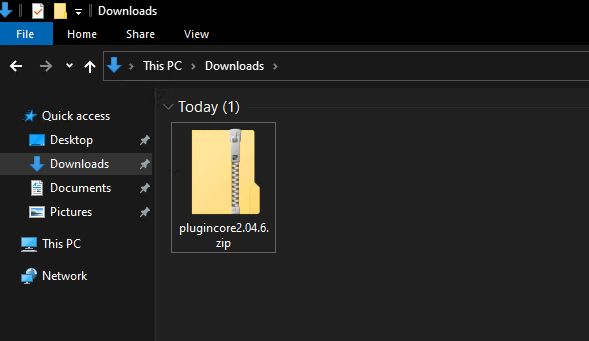
Step 1
Click Download Plugin. Save the file to your computer.
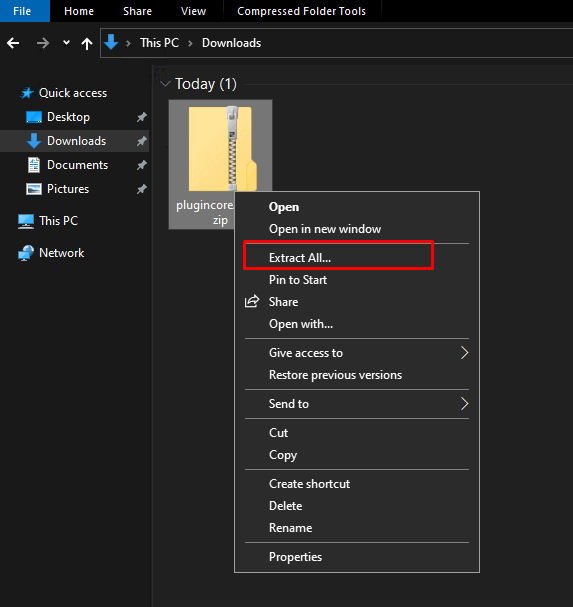
Step 2
Right click on the file and press extract if zipped.
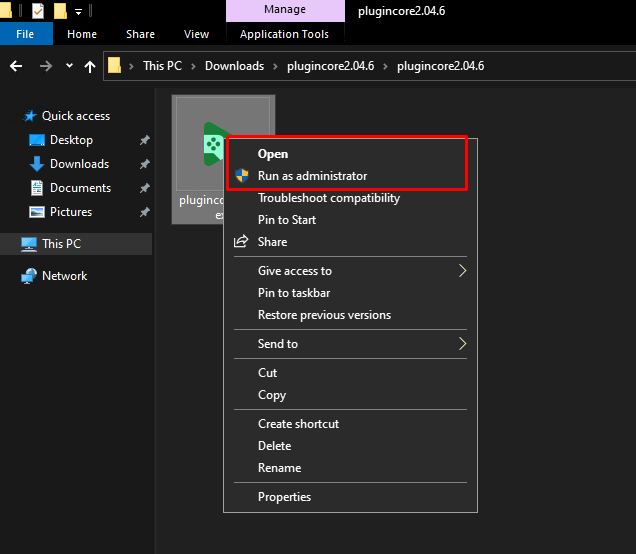
Step 3
Right click on the installer and click open to begin installation. Follow the installation wizard until it completes and restart your application if prompted.